


MENU
- HOME
- Features
- Consoles
- About
- Press
- Support
- Download
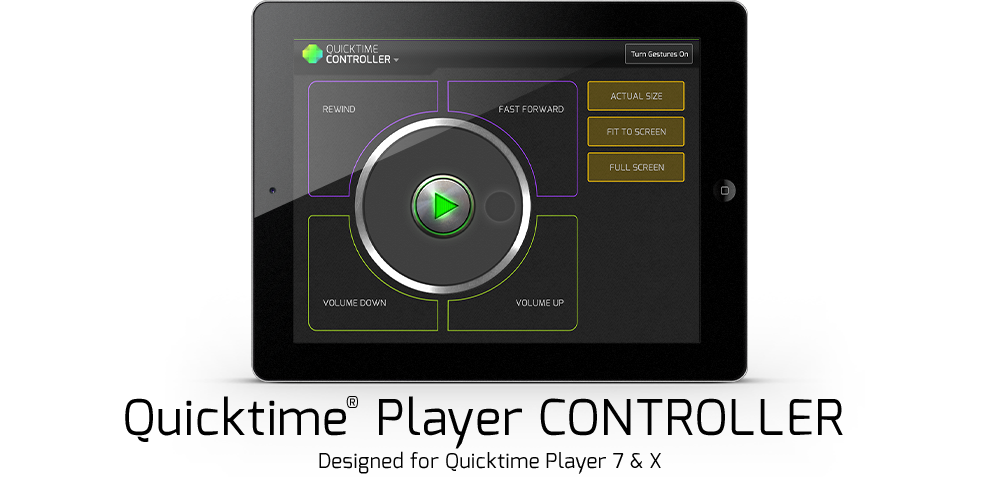
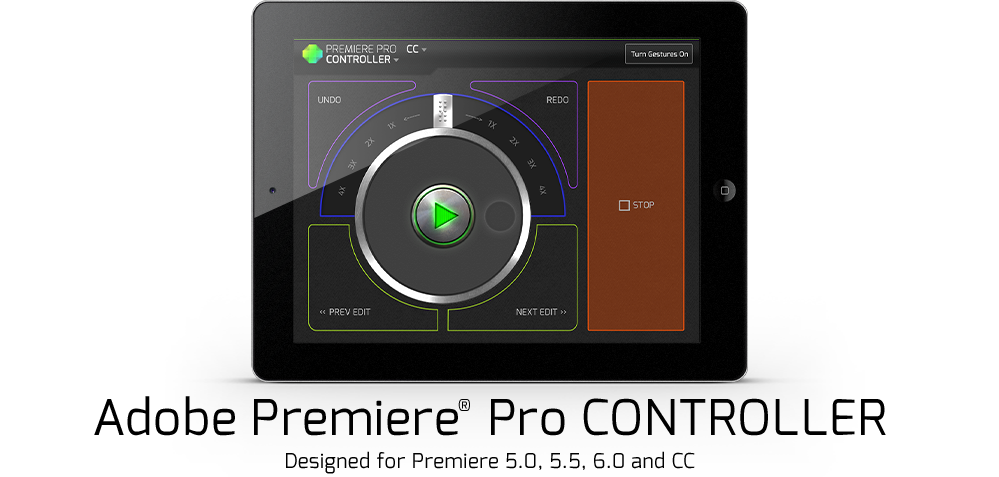
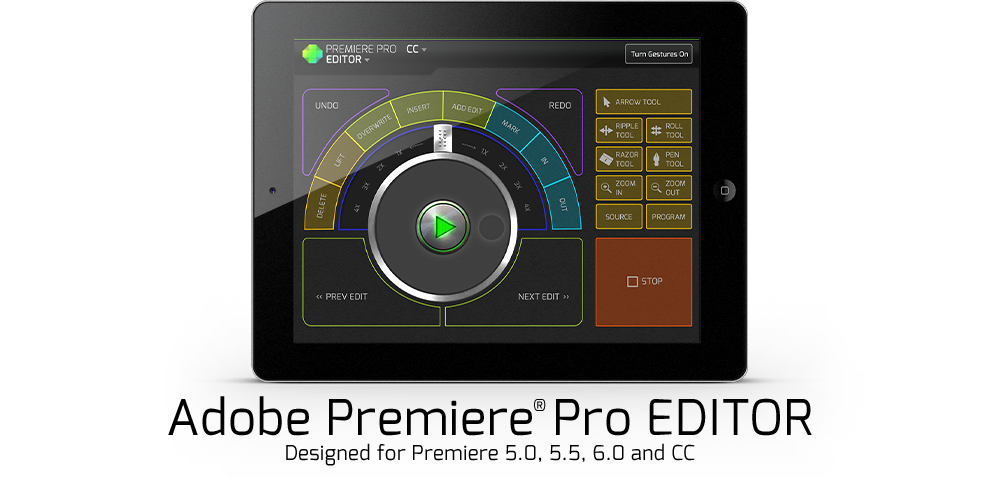
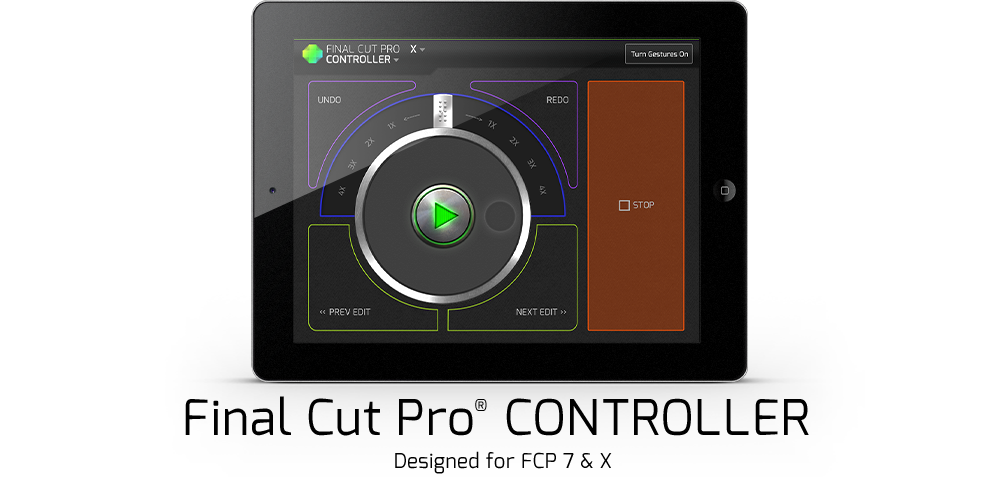
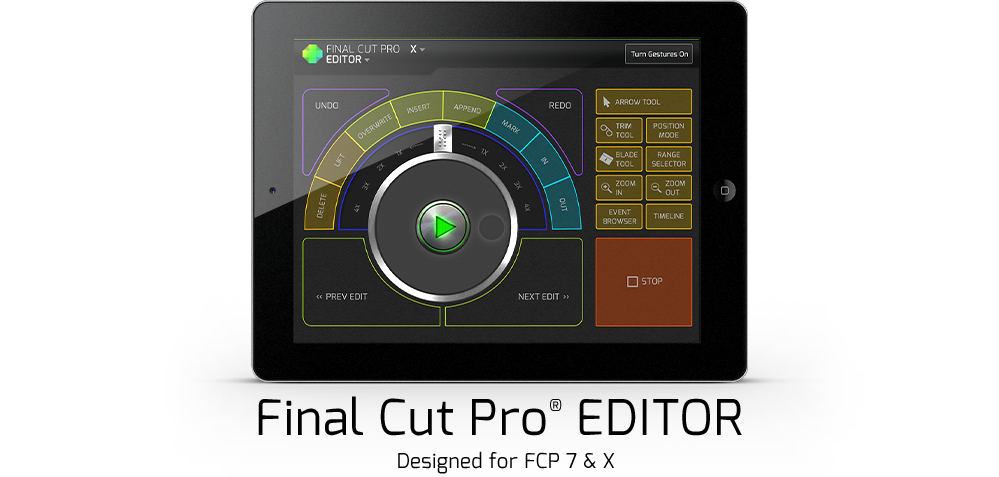
These handy consoles may just become your new best friend. Our controllers are perfect for reviewing footage and easy navigation of basic program functionality. No wires to manage, no muss or fuss. With these controllers it's a snap to view, review, and collaborate on creative projects.
At just $4.99, the Controller is a great way to try out touchscreen consoles. Want more power and speed? Try our pro Editor consoles.
Easy enough for a novice to use but with functionality that a pro can appreciate, Editor consoles simplify dozens of commonly used keyboard shortcuts AND come fully loaded with our patented Gesture Control System. (Gestures are a killer timesaver and are fun to use!)
Priced for the more serious creative who knows the value of better tools and a fluid workflow, the Editor is a steal at $29.99
Find your best shot faster - you'll save time, gain mobility, and experience a better way to work! Pre-Order Now for 40% off!


We're on a mission to empower creatives and change the way we all use computers. At CTRL+Console we love great design and smart tech, but what we're building isn't really about software or screens...it's about experiences. It's about creating a better way for us all to work, live, and play.
CTRL+Console got it's start when our Co-Founder, Jeff Chow, got tired of how difficult it is to learn & use new creative software. Instead of learning Premiere for a tight deadline, he built the prototype for CTRL+Console. With that, he delivered the project on time and even won a few Webby Awards!
In October of 2012, we launched on Kickstarter with video editing consoles and blew through our funding goal. Today we have a small, dedicated team and are used by creatives in 50+ countries.
CTRL+Console started with iPad interfaces for video editors and today our app is helping editors around the world create amazing things. However, video is just the begining. We also have big plans for photography, 3D modeling, design and more. So, if we don't currently support the software you use and love, don't worry...it's probably in our master plan!
Random fun fact: Jeff hiked the entire Appalachian Trail (2,175 miles) for Backpacker Magazine. It took a while.



Buy the consoles you want. Skip the ones you don't.
All consoles are sold through In-App purchases.